# blog
Migrating Data Centres to AWS, Part 2: Landing Zones, the Seven Rs, and the Microsoft Problem
In Part 1 I covered the Assess phase of AWS MAP programmes — discovery tooling, the servers nobody knew existed, and why the documented “why” of a migration matters more than any technical artifact.
This article is about Mobilize: the phase where you build the machinery that makes migration at scale possible.
If Assess is where migrations quietly fail, Mobilize is where they are quietly won. Nothing user-visible happens in this phase, which makes executive leadership tempting to rush it. But make no mistake: every shortcut taken here gets repaid with compound interest during Migrate & Modernize.
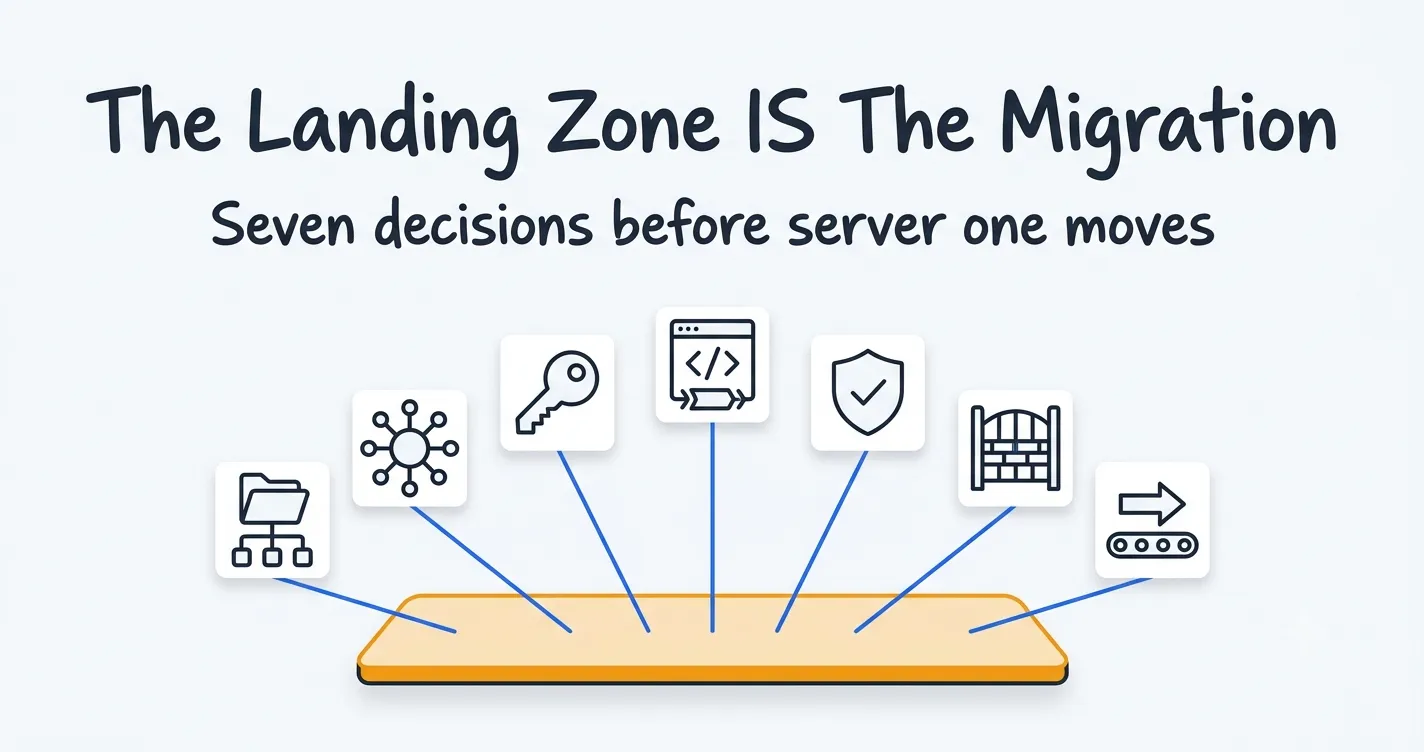
The landing zone is the migration
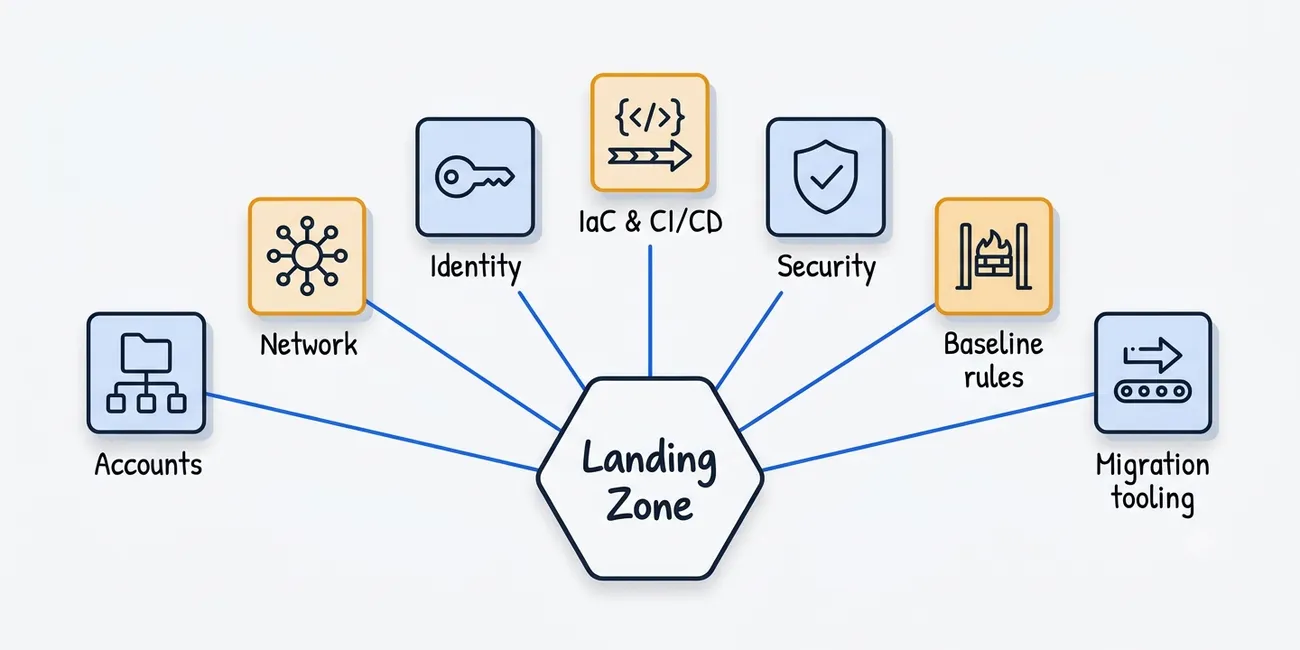
- Account structure & governance: How workloads, environments, and shared services split across AWS accounts—and how the organization governs them at scale. This is where AWS Organizations, Service Control Policies (SCPs), and a sensible Organizational Unit (OU) design prove their value.
- Networking & connectivity: Designing Direct Connect/VPN pathways, hub-and-spoke topologies (AWS Transit Gateway), and IP address planning that doesn’t collide with existing on-premise allocations. Crucially, this includes hybrid DNS resolution that works seamlessly in both directions while your estate is split.
- Identity & access: Extending existing corporate identity into AWS for both humans (SSO/Identity Center federation) and workload machine identities.
- Platform engineering & IaC pipelines: Standardizing your CI/CD execution layer early—including dedicated runner infrastructure (e.g., GitLab servers and runners), centralized Terraform remote backends (S3/DynamoDB for state locking), workspace structures, and reusable module registries for VPCs, IAM roles, and security groups.
- Security & compliance guardrails: Guardrails, encryption standards, and continuous compliance reporting—via tools like AWS Config and Security Hub—that regulated organizations need from Day 1, not retrofitted after a painful audit finding.
- Baseline security groups & migration rule sets: Establishing standard ingress/egress baselines for core enterprise OS roles (RDP/WinRM for Windows, SSH for Linux, domain controller traffic) alongside dedicated replication rules—such as opening outbound TCP 443 (API communication) and TCP 1500 (data replication) for tools like AWS Application Migration Service (MGN).
- Migration infrastructure: Tools like AWS Application Migration Service (MGN) need their networking, permissions, and staging areas integrated into the landing zone as first-class citizens. For the next 12–18 months, they will be the busiest infrastructure you own.
The pattern: Organizations constantly want to compress landing zone design to get to “real migration” faster. In practice, the engagements that resisted that executive pressure and got the foundation right moved faster overall—every single time.
Choosing the right treatment for every server
Once the foundation is ready, every workload in the rationalised inventory needs a migration treatment - what AWS calls the “7 Rs”, ranging from a simple lift-and-shift (Rehost) to moving databases to managed services (Replatform) or completely rebuilding things (Refactor).
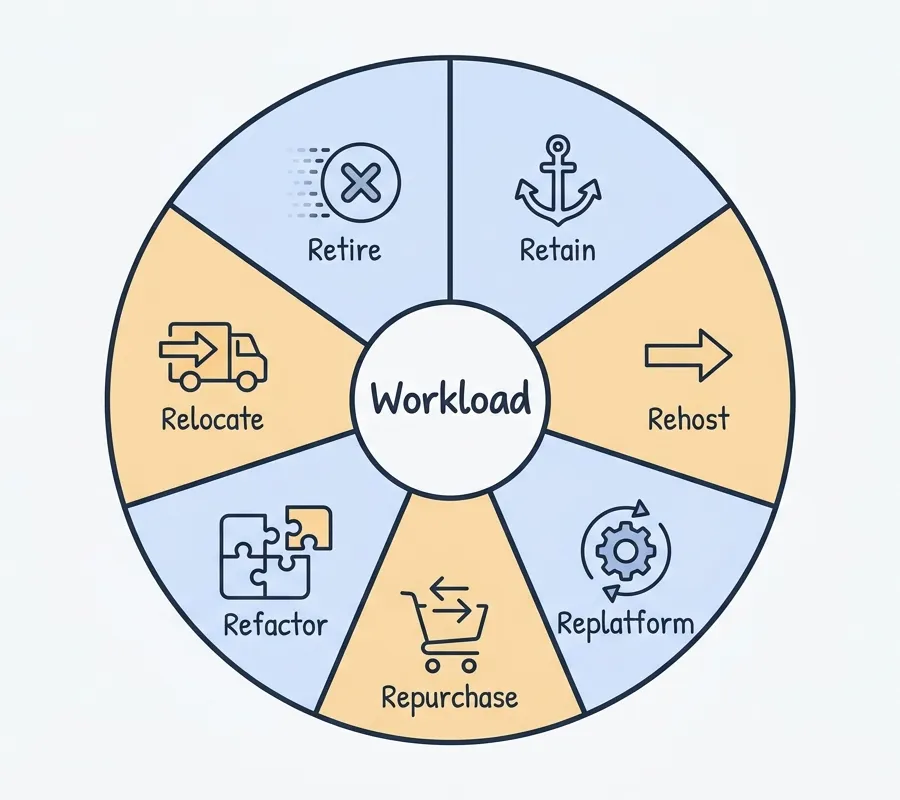
Putting a label on a spreadsheet is the easy part. Deciding what actually makes sense for each application is where your original business goals come into play, the “why” from Assess phase.
Your overall mix of migration types should depend entirely on why you are moving in the first place:
- If you’re rushing to close a data center: Your plan should probably be 70–80% Rehost. When lease deadlines or old hardware warranties are ticking away, speed is all that matters. The deadline is the strategy.
- If you’re moving to innovate faster: You should push harder on Replatforming and Refactoring. Just moving a messy, fragile application as-is gives you the exact same headache, except now you get billed by the hour for it.
Whenever people start arguing over how to move a specific application—and someone always fights to protect their favorite legacy server—you don’t solve it by letting the loudest person win. You just look back at the original business reasons you wrote down in the Assess phase.
Microsoft workloads: a strategy within the strategy
Almost every enterprise estate I’ve migrated had a significant portion of Microsoft systems. And Microsoft workloads need special treatment for reasons that are as much commercial as technical.
Licensing first. On-premises volume licensing does not transparently follow you into the cloud. Windows Server and SQL Server licenses bought under volume agreements come with rules about where they can run: some are eligible for License Mobility through Software Assurance, some can be brought to AWS only on dedicated infrastructure, and some SQL Server licensing scenarios effectively require EC2 Dedicated Hosts to meet physical core requirements. Getting the licensing position wrong doesn’t crash the server—it produces a massive, expensive headache during an audit two years down the line. We treated licensing analysis as a formal Mobilize workstream, not a footnote.
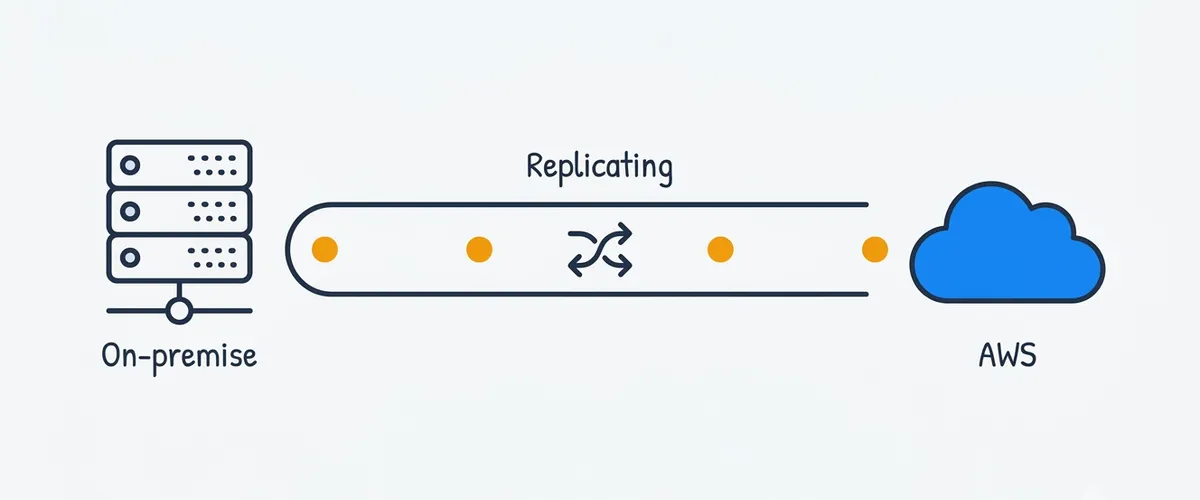
SQL Server migration mechanics. For SQL Server estates where downtime windows were tight, backup-and-restore was rarely acceptable. The pattern that worked was extending the existing high-availability machinery across the hybrid boundary: standing up SQL Server on EC2, adding it into the availability group topology via a distributed availability group spanning on-premises and AWS, letting replication bring the cloud replica into sync, and then cutting over with minutes of downtime rather than hours. It requires careful work at the Windows cluster level and honest bandwidth planning, but it turns the scariest migrations in the estate into controlled, rehearsable events.
Active Directory. You don’t move Active Directory in one big step. You extend it into AWS first, and then slowly pull back from on-premises. The strategy is simple: deploy new domain controllers on EC2, define the AWS environment as a new AD site (or sites) with correct site links and subnet definitions so that clients authenticate locally (rather than wasting bandwidth talking back to on-premises), and let replication sync everything up. As workloads move over and old servers get turned off, you slowly transfer FSMO roles and decommission the old physical domain controllers. AD is usually the very last thing left standing on-premises—and that’s exactly how it should be.
Wave planning: turning inventory into a schedule
The final Mobilize deliverable is the wave plan — the sequencing of hundreds of servers into migration groups that respect dependencies, business calendars, and team capacity.
Building a solid wave plan comes down to few basic rules:
- Respect application dependencies: Servers that talk to each other constantly should move in the same wave. Split them up, and you’ll pay a heavy price in network latency over your hybrid connection.
- Respect the business calendar: Never cut over a retail app during peak trading, and never touch a finance system at quarter-end.
- Start simple: Your first few waves should be deliberately boring. Move low-risk, low-priority workloads first so the team can practice their runbooks before tackling the critical systems.
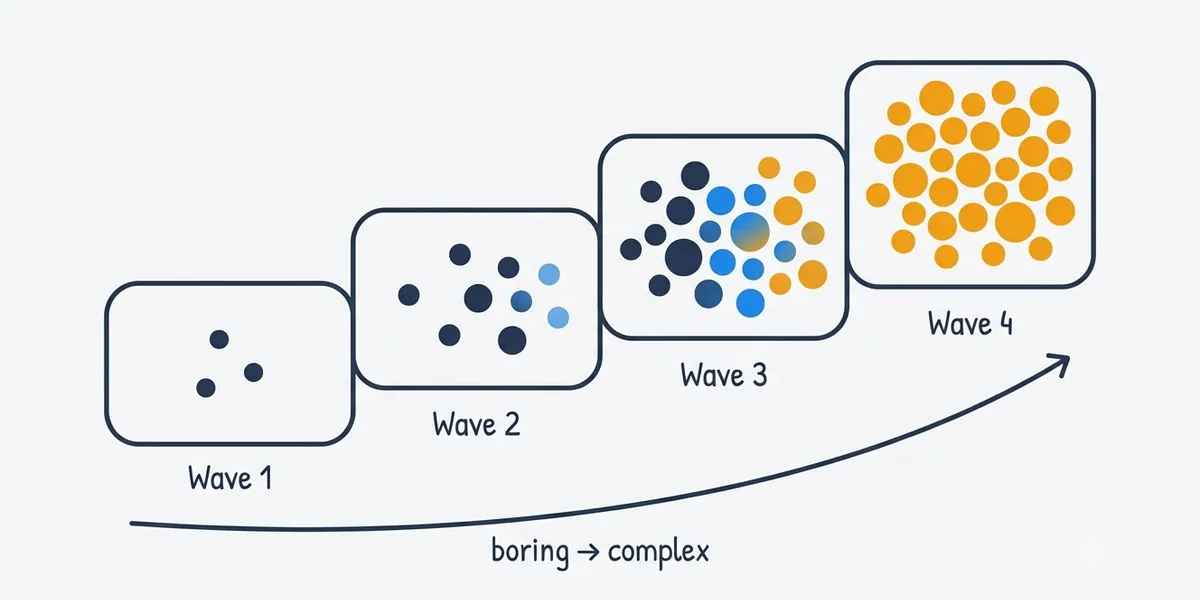
At CMD, we built our own internal tools connected directly to AWS Migration Hub. This turned static spreadsheets into live dashboards that tracked real-time replication and cutover progress. More importantly, it made updating the plan effortless.
Because wave plans will change. A team lead remembers a hidden blocker in week six, a third-party vendor delays a sign-off, or a missing dependency pops up. The real value of your migration tooling isn’t generating the initial plan—it’s making re-planning fast and painless when reality hits. Whatever tools you pick, make sure they allow for quick adjustments.
What Mobilize should hand to execution
By the end of the Mobilize phase, you shouldn’t just have a stack of planning documents — you should have real momentum. Specifically, you need:
- A proven landing zone: Validated through a successful pilot migration.
- Clear treatment decisions: Every workload tagged, with tough calls settled using your core business goals.
- A solid licensing strategy: A clear plan for your Microsoft estate that can easily pass a vendor audit.
- Hybrid infrastructure ready to go: Active replication running for key databases and Active Directory.
- A flexible wave plan: A timeline built on real application dependencies that is easy to update as things change.
In Part 3, the payoff: executing waves, the hidden benefits organisations only discover after landing in AWS, and why the real measure of a migration is whether the client’s own team can run the platform without you.
Imran Ramzan | 21 years leading cloud, platform engineering, and AI platform strategy. Drawing on real-world leadership and cloud engagements in the UAE and globally, I write about the realities of scaling platforms for the AI era. While I use AI tools to help shape and polish this content, the technical insights and opinions are entirely my own.